
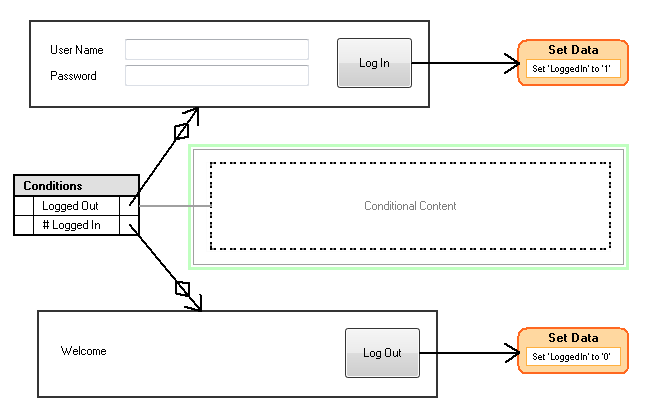
GUI Design Studio version 4.0 is now available and includes some fantastic new features in two editions, both with a 30-day trial.
The new features are grouped around interactivity and element and design sharing. They enable you to build more realistic and interactive prototypes and to share or reuse individual elements or whole design templates with ease.
New editions
GUI Design Studio is now available in two different editions.
GUI Design Studio Express provides the prototyping functionality that was in v3, but focussed on individuals without the need to share projects and generate specification documentation.
GUI Design Studio Professional builds on v3, adding new interactivity and design sharing features, and is better suited to those working on larger projects, in teams, or on multiple designs.
All projects created in one edition will run in the other, or in the free viewer, except that the enhanced interactivity features in the Professional edition (see below) are not available in the Express edition. You can compare the two editions here.
Prototypes get more interactive (Pro edition only)
As your user interface design develops, everyone involved starts to focus on the details of interactivity. What process does the user need to go through to achieve certain tasks, how many button presses, how much navigation, is it clear and obvious, can they make simple mistakes?
All of these questions, and more, need to be considered in developing and refining a good UI and they cannot be addressed easily in a simple mock-up.
GUI Design Studio v4 introduces a range of new features (more…)
